From a working file to a shareable photo.

Convert TIFF to JPG online

Make a supported TIFF easier to share. Choose a page, preview the converted image and find the JPG quality that works for you.

TIFF or TIF80 MiB · 24 MP max

Drop a file here, or choose one

TIFF or TIF · 80 MiB · 24 MP max

Your preview

A little space for your image.

Choose a file to get started.

Preview fits the available space. The download uses the stated pixel dimensions.

Make it yours

Higher quality usually means a larger file.

Used for JPG and resize padding.

Download image
Ready when you are.

Files stay on your device. No account needed.

How to convert TIFF to JPG

Follow these steps, then check the preview before downloading.

  1. Choose a TIFF or TIF file. Supported multipage files let you select a page.
  2. Set JPG quality and the background used behind transparent pixels.
  3. Convert, inspect the preview and download the selected page as a JPG.
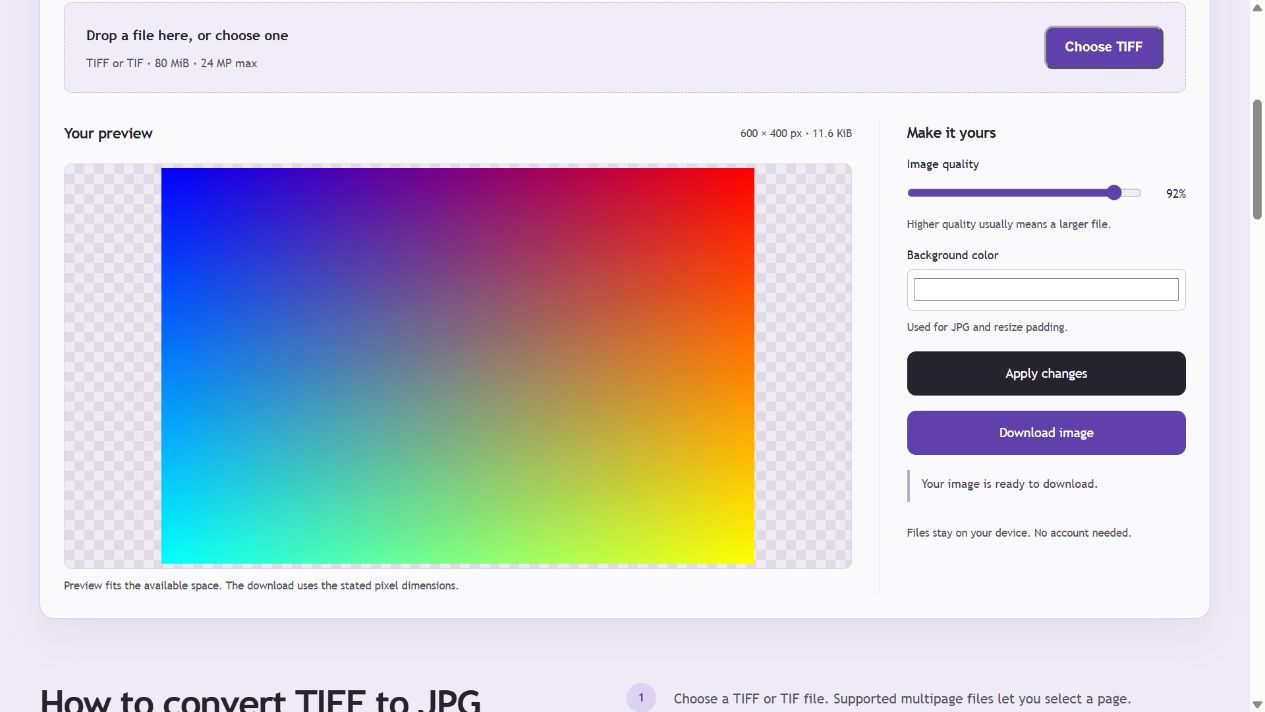
Actual TIFF to JPG tool converting the downloadable synthetic 16-bit RGB gradient to an 8-bit JPG at 92% quality.
Actual TIFF to JPG tool converting the downloadable synthetic 16-bit RGB gradient to an 8-bit JPG at 92% quality. Open the screenshot for a larger view.

Try the same files

Worked example: 16-bit TIFF to 8-bit JPG

This example uses a generated 600 × 400 unprofiled RGB16 gradient. The tool treats unprofiled integer RGB as sRGB, maps it to 8-bit display samples and exports a JPG at 92% quality with a white background.

Input and output for this example
PropertyBeforeAfter
Pixel dimensions600 × 400600 × 400
Bits per color channel16-bit integer8-bit
Color interpretationUnprofiled RGB, treated as sRGBsRGB
CompressionDeflate TIFFLossy JPEG

Verification: read TIFF BitsPerSample and the JPEG frame precision. Dimension preservation does not imply preservation of the source precision or samples. This is a synthetic format example, not a camera photograph.

Example checked . Example files use PicEdita’s processing modules; screenshots show the browser workflow. Browser encoders may produce different bytes.

A deliberate JPG export

JPG is suitable for sharing photos and smaller downloads. It uses lossy compression. The quality control changes that tradeoff, and the result shows the actual file size. Transparent pixels are composited over your selected background.

Which TIFF files can I convert?

Classic TIFF with RGB or grayscale samples: 8-bit, 16-bit integer or 32-bit floating-point; supported strip/tile layouts and uncompressed, LZW, Deflate or PackBits compression. Up to 20 pages, converted one at a time.

Color and precision

Embedded RGB ICC profiles are converted to sRGB. Unprofiled integer RGB is treated as sRGB; floating-point RGB is treated as linear. JPG output is 8-bit. CMYK, Lab, bilevel/fax, BigTIFF, layered files and SubIFDs are not supported by this tool.

TIFF to JPG questions

Can I convert a multipage TIFF?

Yes, for supported classic TIFF pages. Select one page at a time and download each converted page. This tool does not combine pages into one image or batch-export all pages.

Will the JPG keep 16-bit or 32-bit data?

No. The download is an 8-bit JPG. High-depth source values are mapped into the display range; values outside that range may be clipped. Keep the original TIFF for precision work.

Are my files uploaded?

No. Decoding and conversion happen in your browser. The site and required processing resources need to load, but the file itself is not sent to a conversion server.